Games / Doom
Play Doom in Your Browser
MS-DOS · 1993 · First-person shooter
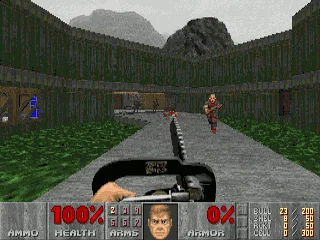
id Software's 1993 shooter, where a lone space marine fights through Mars moon bases and into hell. This page lists two browser routes for the DOS original, its rules and keyboard controls, and what we saw when we played both on November 17, 2026.
Where to play
Cloudflare WebAssembly Doom (solo play and a multiplayer test)
Open the browser version (external site)Report broken link
This title is not stored or hosted on this site: the button opens the hosting project's own website. Check any requirements listed below before you launch. We summarize details from that project's pages, and we cannot promise how it will run on your device.Report a problem or request removal.
- Hosted by
- Cloudflare
- Runs on
- WebAssembly port of the Chocolate Doom engine
- Controls
- Keyboard, Mouse
- Saving
- Saves do not survive a page reload in our test (checked November 17, 2026).
- Documentation
- Project documentation
- Our last test
- 2026-11-17: hands-on test, result "partial" (Chrome 157 headless, Linux server, desktop viewport). Play Solo loaded Doom (doom1.wad, episode 1 only: picking episode 2 showed a notice that only the first episode is included) with no login or payment prompt; held arrow keys moved and turned the player, Space fired (ammo 50 to 49), F2 saved in-game, but the saved slot was gone after a page reload. Start Multiplayer opens a name prompt (not joined). Audio and real-hardware performance not verified.
Credits: Doom by id Software. Chocolate Doom by its contributors; WebAssembly port and multiplayer demo by Cloudflare.
Doom on the Internet Archive (DOSBox in the page)
Open the browser version (external site)Report broken link
This title is not stored or hosted on this site: the button opens the hosting project's own website. Check any requirements listed below before you launch. We summarize details from that project's pages, and we cannot promise how it will run on your device.Report a problem or request removal.
- Hosted by
- Internet Archive
- Runs on
- DOSBox emulator running in the page
- Controls
- Keyboard, Mouse
- Saving
- In-game saves (F2 to save, F3 to load) were still there after a page reload in the same browser (checked November 17, 2026).
- Documentation
- Project documentation
- Our last test
- 2026-11-17: hands-on test, result "pass" (Chrome 157 headless, Linux server, desktop viewport). Loaded logged out; one click on the page's power button starts the DOSBox emulator at the Doom title. Menu, New Game (episode menu lists three episode names; selecting episode 2 not tried here), movement and Ctrl-fire (ammo 50 to 49) all responded, and an F2 save was still in the Load Game list after a page reload. Mouse and audio (page starts muted) not tested; real-hardware performance not verified.
Credits: Doom by id Software. Hosted and emulated by the Internet Archive.
If you want to play Doom online without installing anything, the 1993 DOS original can run inside a browser tab through an emulator or a WebAssembly port. This page covers how each route works, how the game plays, which keys it uses, and what we saw when we tried both. Where something is not confirmed, we say so.
What Doom is
Doom is a first-person shooter that id Software developed and published for MS-DOS. It came out on December 10, 1993. You play an unnamed space marine who fights demons and possessed humans, beginning on the moons of Mars and finishing in hell.
It is also a landmark: the Library of Congress picked it as one of the first ten video games for its game-canon preservation list in 2007.
Playing it in your browser
The launch card above links to two projects, and each one works differently:
- Internet Archive. It runs the DOS program in a DOSBox emulator inside the page. One click on the power button starts it, and the title screen appeared within about six seconds. There was no login or borrow step while we were logged out, and the sound icon starts muted.
- Cloudflare’s WebAssembly demo. Cloudflare compiled the Chocolate Doom engine to WebAssembly in 2021 and added a multiplayer test running on its own network. The page offers “Play Solo” and “Start Multiplayer”. Play Solo started the game about four seconds after the click, with no login, payment or cookie prompt.
Neither project page lists special requirements, so the cards show none. Checked November 17, 2026: both routes loaded and were playable with the keyboard. Test limit: tested in headless Chrome on a Linux server. Not verified: sound, mouse play (the Cloudflare page logged a failed pointer-lock request in our browser), touch, and speed on real hardware.
Game rules and how it works
These points come from the 1993 manual and the game’s history:
- Episodes. The game shipped as three episodes, “Knee-Deep in the Dead”, “The Shores of Hell” and “Inferno”, with eight main levels each. The Ultimate Doom followed in 1995 from GT Interactive and added a fourth, “Thy Flesh Consumed”. Doom II is a separate 1994 release and will get its own page.
- Difficulty. There are five difficulty levels. The manual says the top one, Nightmare, is not suitable for inexperienced players.
- Weapons and ammunition. You carry seven weapons (fist, pistol, shotgun, chaingun, rocket launcher, plasma rifle and BFG 9000) and pick ammunition up by standing over it.
- Multiplayer. The original supports two to four players over a network in cooperative and deathmatch modes. A four-player online mode through the DWANGO service arrived about a year after launch.
In our test (checked November 17, 2026) both routes list the three episode names. On the Cloudflare route, choosing Episode 2 showed an order message from id, so only “Knee-Deep in the Dead” starts there. The Internet Archive route started Episode 1, Map 1 with 100% health, 0% armor and 50 bullets; we did not choose Episode 2 on it.
Controls
The table lists the original DOS keys from the 1993 manual. On the Internet Archive route, Ctrl fired the weapon in our test (ammo 50 to 49). The Cloudflare route’s own hint strip lists a different layout: W/S or arrows to move, Shift to run, E to use, A/D to strafe, Space or left mouse to fire, Tab for the map, F for fullscreen. There we tried arrows, Space to fire and F2 to save, but not E, Tab, F, Shift or the manual’s Ctrl.
| Action | Original key |
|---|---|
| Walk forward / back | Up / Down arrow |
| Turn | Left / Right arrow |
| Run | Hold Shift with an arrow key |
| Strafe (sidestep) | Hold Alt with Left / Right arrow |
| Fire (hold for rapid fire) | Ctrl |
| Open a door or use a switch | Spacebar |
| Choose a weapon | Number keys 1 to 7 (not the keypad) |
| Automap on / off | Tab |
| Menu | Esc |
| Help screen (“Read This!”) | F1 |
| Save / Load | F2 / F3 |
| Quicksave / Quickload | F6 / F9 |
| Pause | Pause key |
The original mouse scheme used button 1 to fire and button 2 to walk forward; we did not test the mouse on either route.
Saving your game
The manual describes the Save screen (F2), Load screen (F3), Quicksave (F6) and Quickload (F9). We tried F2 and F3 on both routes, with different results (checked November 17, 2026):
- Internet Archive. We saved to a slot named “T” and reloaded the page. After starting the emulator again, F3 listed that slot, so the save was still there in the same browser.
- Cloudflare. The game confirmed “GAME SAVED.” for slot 1, but after a page reload F3 showed all six slots empty.
We did not test F6, F9, other browsers or a logged-in account.
Tips and tricks
Most tips come from the 1993 manual; the last three are from our own play-test.
- Save often. Dying sends you back to the start of the level with only the pistol. Documented, 1993 manual.
- Explosive barrels hurt everything near them. Wait until several enemies stand next to one, then shoot it. Documented, 1993 manual.
- To open a door or flip a switch, stand directly in front of it and press the Spacebar. A wall that sits lower, has a different color, or carries a flashing light can hint at a secret door. Documented, 1993 manual.
- Look before you walk: slime pools hurt and some ceilings crush, so save before risky spots. Documented, 1993 manual.
- If you find a weapon you already carry, pick it up anyway: it also gives you ammunition. Documented, 1993 manual.
- Use the number keys 1 to 7 to switch weapons; the keypad numbers do not work for this. Documented, 1993 manual.
- Our own play-test: the Save screen has six slots. Press F2, pick a slot, type a name and press Enter to get “GAME SAVED.”; on the Internet Archive route the slot survived a reload, on the Cloudflare route it did not.
- Our own play-test: on the Cloudflare route the menu cursor remembers your last choice. After we tried Episode 2 once, Enter chose it again, so press Up first.
- Our own play-test: on the Internet Archive route, click the player once so it takes keyboard focus; then Enter opens the menu.
History in brief
Development began in November 1992, after Wolfenstein 3D, built around a new 3D engine from programmer John Carmack. Id ended its arrangement with Apogee and published Doom itself. Id released the game’s source code in 1997 and again in 1999 under different terms.
FAQ
Is “Doom Online” still active?
The original game supported network play, and the DWANGO service offered four-player online matches in 1994. Cloudflare’s demo advertises solo play and a multiplayer start button. Start Multiplayer opened a name prompt with a pre-filled random name and a GO button. We did not press GO, so whether a game starts, or anyone is there, is not verified.
Does Doom run on a phone?
Neither route’s page documents touch controls, and the original game is built around a keyboard. We did not test touch or mobile browsers, so this is not verified.
What is the difference between Doom and Doom II?
Doom II came out in 1994 as a separate release. This page covers the 1993 original.
Why was Doom controversial?
Our source says its intense graphic violence led to controversy from a range of groups.
Is Doom suitable for children?
The game is known for graphic violence. We did not find an official content rating for the 1993 DOS release, so we do not give an age. Judge it yourself, or ask a parent or guardian, before letting younger players try it.
Can I save my game?
The game has F2, F3, F6 and F9 keys for it. In our test an Internet Archive save was still listed after a page reload; a Cloudflare save was gone.
What if the game will not load?
The Internet Archive item’s reviews mention past load failures in some browsers. Both routes loaded for us. If one does not, try another browser or route, and use the report link on this site.
Sources and credits
- Doom (1993 video game), Wikipedia: https://en.wikipedia.org/wiki/Doom_(1993_video_game)
- Doom (1993) manual scan, Internet Archive: https://archive.org/details/00504-doom-1993-manual
- id Software DOOM source release README: https://github.com/id-Software/DOOM
- Cloudflare, “Multiplayer Doom on Cloudflare Workers” (May 18, 2021): https://blog.cloudflare.com/doom-multiplayer-workers/
- Cloudflare doom-wasm README: https://github.com/cloudflare/doom-wasm
- Our own play-test of both routes, November 17, 2026, in Chrome 157.
Doom is by id Software. Browser routes are the work of their respective maintainers: the Internet Archive and Cloudflare. All names are trademarks of their owners.
Similar games
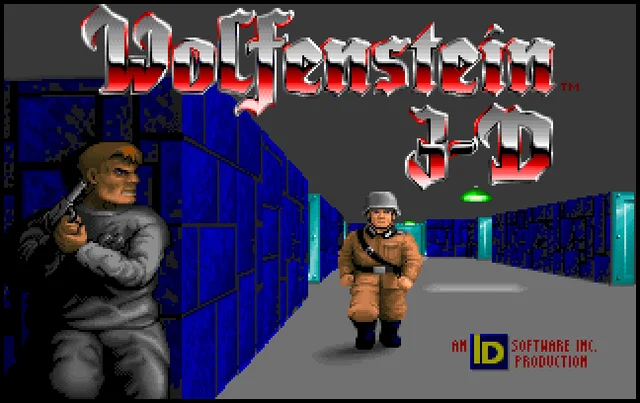
Wolfenstein 3D
DOS · 1992 · First-person shooter
A 1992 DOS first-person shooter from id Software in which an Allied spy fights his way out of a Nazi castle. This page points to two browser versions, what we saw when we played them on November 17, 2026, and the rules, controls and tips from the original manual.
More games
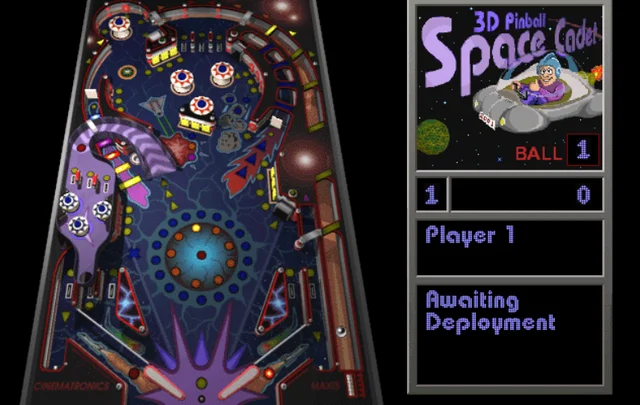
3D Pinball for Windows - Space Cadet
Windows 95 to XP · 1995 · Pinball
The space-themed pinball table that shipped with Windows 95 through XP. This page lists three browser routes, what we saw when we played each on November 17, 2026, and the rules, controls and tips that our sources document.
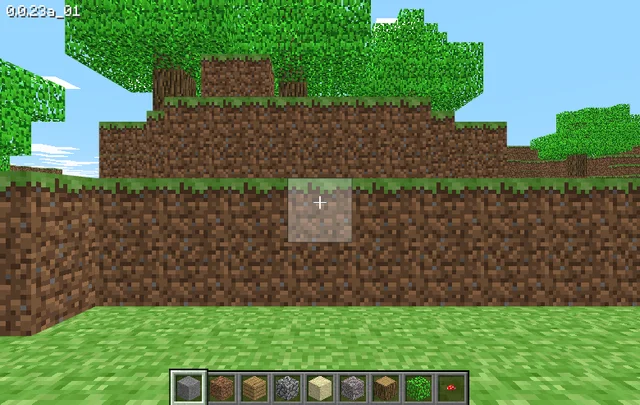
Minecraft Classic
Web browser (Mojang's re-release of its 2009 version) · 2009 · Sandbox building
Mojang's browser re-release of the 2009 version of Minecraft, hosted by Mojang Studios at classic.minecraft.net. It needs a keyboard and offers 32 blocks to build with. We played it briefly on November 17, 2026.
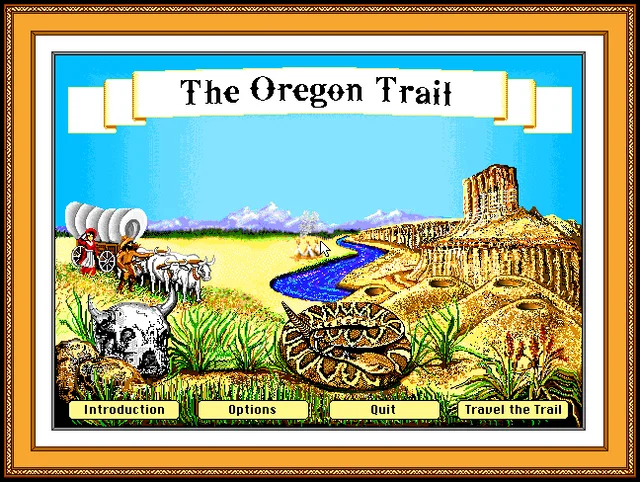
The Oregon Trail
DOS (Deluxe edition, 1992) · 1992 · Educational simulation
MECC's wagon-trip simulation from the school computer lab. This page covers the 1990 and 1992 DOS editions that run in a browser, how the editions differ, the rules and tips from the 1985 manual, and what we saw when we tried both on November 17, 2026.