Games / Wolfenstein 3D
Play Wolfenstein 3D in Your Browser
DOS · 1992 · First-person shooter
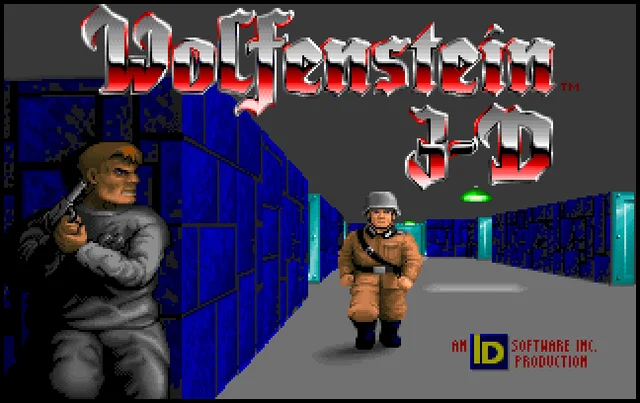
A 1992 DOS first-person shooter from id Software in which an Allied spy fights his way out of a Nazi castle. This page points to two browser versions, what we saw when we played them on November 17, 2026, and the rules, controls and tips from the original manual.
Where to play
Wolfenstein 3D on ExeBrowser (DOSBox compiled to WebAssembly)
Open the browser version (external site)Report broken link
This title is not stored or hosted on this site: the button opens the hosting project's own website. Check any requirements listed below before you launch. We summarize details from that project's pages, and we cannot promise how it will run on your device.Report a problem or request removal.
- Hosted by
- ExeBrowser
- Runs on
- DOSBox compiled to WebAssembly
- Controls
- Keyboard, Mouse, Touch
- Saving
- In-game saves (Options, Save Game) were still there after a page reload in the same browser; the page says saves are kept in the browser (checked November 17, 2026).
- Documentation
- Project documentation
- Our last test
- 2026-11-17: hands-on test, result "pass" (Chrome 157 headless, Linux server, desktop viewport). One click on Play starts v1.4 in DOSBox with no login; the game lists six episodes but only Episode 1 starts (Episode 2 shows an Apogee order message). Turn (arrows), move (W), Ctrl-fire (ammo 8 to 7) and menu keys responded, an in-game save was restored after a page reload, and the page loads a Google Tag Manager script. Audio not heard (Sound button present) and real-hardware performance not verified.
Credits: Wolfenstein 3D by id Software, published by Apogee Software. Hosted by ExeBrowser.
Wolfenstein 3D on the Internet Archive (MS-DOS software library)
Open the browser version (external site)Report broken link
This title is not stored or hosted on this site: the button opens the hosting project's own website. Check any requirements listed below before you launch. We summarize details from that project's pages, and we cannot promise how it will run on your device.Report a problem or request removal.
- Hosted by
- Internet Archive
- Runs on
- In-browser DOS emulation
- Controls
- Keyboard
- Saving
- In-game saves were still listed after a page reload in the same browser (checked November 17, 2026).
- Documentation
- Project documentation
- Our last test
- 2026-11-17: hands-on test, result "pass" (Chrome 157 headless, Linux server, desktop viewport). Plays logged out with no borrow or login step (page says Stream Only): one click on the power button starts v1.4 and all six episodes are selectable (Episode 2 started, Ctrl-fire took ammo 8 to 7, arrows moved), so this route is not limited to the first episode. An in-game save was still listed after a page reload; audio not heard (page starts muted) and real-hardware performance not verified.
Credits: Wolfenstein 3D by id Software, published by Apogee Software. Hosted by the Internet Archive.
What Wolfenstein 3D is
Wolfenstein 3D is a first-person shooter that id Software made for MS-DOS and released in 1992. Apogee Software published it. You play William “B.J.” Blazkowicz, an Allied spy during World War II, who escapes from the prison of Castle Wolfenstein and then works through a series of missions against the Nazi regime.
Walls are drawn in a 3D view, but the guards, dogs and items are flat 2D sprites, so the game is sometimes called “2.5D”. It was inspired by the 1981 game Castle Wolfenstein from Muse Software and is widely regarded as having helped popularize the first-person shooter.
Playing it in your browser
The launch card above lists two projects. Both run a DOS version of the game inside a browser tab through emulation.
- Internet Archive. The game sits in its MS-DOS software library as a stream-only item and runs in an emulator. Checked November 17, 2026: while logged out there was no login, borrow or waiting step. One click on the power button starts the emulator, and the game was on screen after about seven seconds. The player starts muted. All six episodes are selectable, and Episode 2 (“Operation: Eisenfaust”) started. We did not start Episodes 3 to 6.
- ExeBrowser. The page says it runs the original WOLF3D.EXE through DOSBox compiled to WebAssembly. Checked November 17, 2026: one Play button starts the game in about six seconds, with no sign-in, cookie banner or payment prompt. Only Episode 1 starts here. The menu lists all six episodes, but Episodes 2 to 6 are shown in green and pick an order message. The page shows an on-screen D-pad and a Fullscreen button, which we did not test, and it loads a third-party analytics script.
Only ExeBrowser’s Options menu has a “Read This!” entry. Neither project page lists requirements, so the cards show none.
Test limit: tested in headless Chrome on a Linux server. Not verified: sound, the mouse (including ExeBrowser’s Ctrl+F10 note), touch controls, speed on real hardware, other browsers, fullscreen.
Game rules and how it works
- Levels. Each level is a grid of rooms and corridors with walls and doors. The goal is usually to reach an elevator to the next floor, and the last level of each episode ends with a boss. Keys open locked doors.
- Weapons. You start with a knife and a pistol. A machine gun and a chaingun can be found along the way.
- Secrets. Pressing Space against a wall can push a secret wall back. Hidden areas hold extra health, ammunition and treasure. The items you must have, such as keys and the elevator, are never hidden.
- Episodes. There are six episodes in two groups of three: the original trilogy, whose first episode is “Escape from Wolfenstein”, and a second trilogy called The Nocturnal Missions. Spear of Destiny, a separate follow-up, came out as a retail game from FormGen on September 18, 1992.
- Saving. The original DOS version lets you save at any point, whereas many of its ports only save between levels.
Controls
These keys come from the printed manual of the DOS release. In our test the arrow keys, Ctrl (fire; ammo 8 to 7) and Esc (Options menu) worked on both routes, and W moved forward on ExeBrowser, whose page lists W A S D as an alternative. We did not test Space, Shift, Alt strafing, the number keys or the F-keys.
| Action | Key in the DOS game |
|---|---|
| Walk forward / back | Up / Down arrow |
| Turn | Left / Right arrow |
| Run | Hold right Shift with an arrow key |
| Fast turn | Right Shift with Left / Right arrow |
| Strafe (slide sideways) | Alt with Left / Right arrow |
| Fire / use knife | Ctrl (hold for rapid fire with the machine gun or chaingun) |
| Open doors and elevators, push secret walls | Space |
| Choose weapon | 1 knife, 2 pistol, 3 machine gun, 4 chaingun |
| In-game help | F1 |
| Save / load | F2 / F3 |
| Quick save / quick load | F8 / F9 |
| Back out of a menu | Esc |
The manual also describes mouse and joystick play: button 1 fires, button 2 strafes, and on a three-button mouse the third button opens doors. You start with the knife and pistol only, so keys 3 and 4 do nothing until you find those weapons. Not verified: mouse capture and touch controls. ExeBrowser’s keyboard panel is an on-screen keyboard for menus and name entry, not a way to rebind keys.
Saving
We saved through the Options menu (Esc, Save Game, slot 1) on both routes (checked November 17, 2026). After a full page reload, the Internet Archive route listed the slot in Load Game, and ExeBrowser said “Restored 1 saved file” and listed it too, in the same browser. We did not load a save into a level or try F2, F3 and F8.
Tips and tricks
Most tips come from the DOS manual; the last three are from our own play-test.
- Do not run straight into a room. Walk up to the door, slide sideways at an angle, and pick off guards from there. Documented, official player’s manual.
- Save often with Quick Save (F8) and reload with Quick Load (F9). Documented, official player’s manual.
- Ammunition is limited, so make your shots count instead of holding the fire key down, and do not rush a room full of guards with only the knife. Documented, official player’s manual.
- Explore for hidden rooms: pressing Space against a wall can push it back. Every level hides extra health, ammunition and treasure, and dog food gives a small health boost. Documented, official player’s manual.
- Once you know the game, use a mouse together with the keyboard: it gives steadier aim and turning, and its second button makes strafing easier. Documented, official player’s manual.
- Our own play-test: on ExeBrowser, the menu cursor wraps, so pressing Up from the top item lands on Quit, which asks for confirmation; press N to cancel.
- Our own play-test: after Esc, the cursor starts on New Game on ExeBrowser and on Load Game on the Internet Archive route.
- Our own play-test: on the Internet Archive route, our first Ctrl press during level load did not register; a second press fired.
History in brief
id Software’s team started the project on December 15, 1991. John Romero suggested remaking Castle Wolfenstein as a fast, violent 3D action game, and John Carmack built the engine, which draws walls by ray casting. The first episode was finished and uploaded to bulletin board systems in the early hours of May 5, 1992, with the other episodes following a few weeks later. In 1995 id released the engine’s source code. By the end of 1995 the game had sold more than 250,000 copies. In 2012 Bethesda produced a browser version for the game’s 20th anniversary; its website was later removed. id’s next big game, Doom, followed in 1993.
FAQ
Can I play Wolfenstein 3D in my browser?
Yes: the Internet Archive and ExeBrowser both run the DOS version in a browser tab, and both loaded and played for us on November 17, 2026.
How many episodes does the game have?
Six, in two trilogies. The second trilogy is called The Nocturnal Missions. In our test the Internet Archive route let us pick all six and started Episode 2, while ExeBrowser started only Episode 1 and showed an order message for Episodes 2 to 6.
What are the controls?
Arrow keys move and turn, Ctrl fires, Space opens doors, and 1 to 4 pick a weapon; see the Controls section. Arrows, Ctrl and Esc worked on both routes in our test.
Does it work on a phone?
ExeBrowser’s page shows an on-screen D-pad. We did not test touch or mobile browsers, so this is not verified.
Can I save my game?
Saves made from the Options menu were still listed after a page reload on both routes, in the same browser. We did not test the F-keys.
Is it suitable for children?
The game contains violence and Nazi imagery. The Internet Archive’s entry lists an ESRB rating of “Mature”. Check the rating and decide for your household.
Sources and credits
- Game history, premise, episodes and release dates: Wolfenstein 3D on Wikipedia.
- Controls and tips: Wolfenstein 3D official player’s manual (PC DOS edition), on the Internet Archive.
- Episode list and ESRB field: Internet Archive entry for Wolfenstein 3D.
- ExeBrowser’s description: ExeBrowser Wolfenstein 3D page.
Wolfenstein 3D is by id Software and was published by Apogee Software. This page was written by us from the sources above and from our own play-test of both routes on November 17, 2026.
Similar games
Doom
MS-DOS · 1993 · First-person shooter
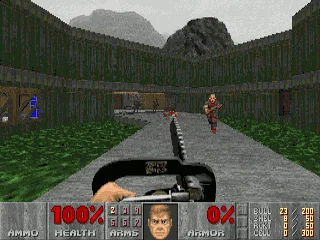
id Software's 1993 shooter, where a lone space marine fights through Mars moon bases and into hell. This page lists two browser routes for the DOS original, its rules and keyboard controls, and what we saw when we played both on November 17, 2026.
More games
3D Pinball for Windows - Space Cadet
Windows 95 to XP · 1995 · Pinball
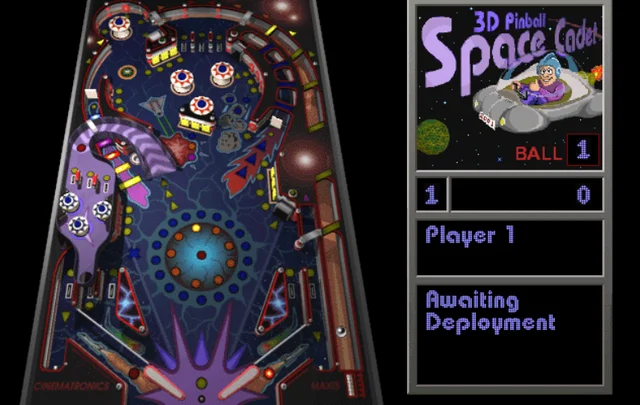
The space-themed pinball table that shipped with Windows 95 through XP. This page lists three browser routes, what we saw when we played each on November 17, 2026, and the rules, controls and tips that our sources document.
Minecraft Classic
Web browser (Mojang's re-release of its 2009 version) · 2009 · Sandbox building
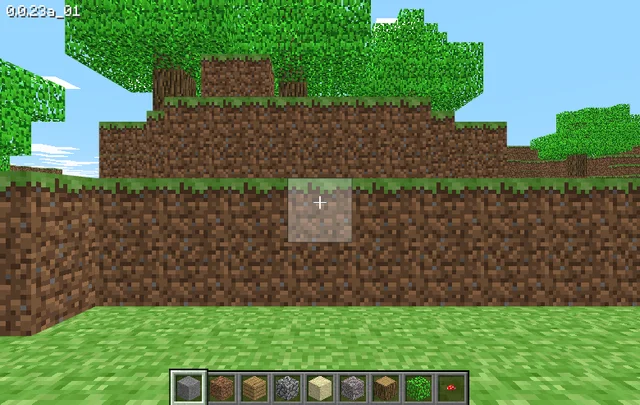
Mojang's browser re-release of the 2009 version of Minecraft, hosted by Mojang Studios at classic.minecraft.net. It needs a keyboard and offers 32 blocks to build with. We played it briefly on November 17, 2026.

The Oregon Trail
DOS (Deluxe edition, 1992) · 1992 · Educational simulation
MECC's wagon-trip simulation from the school computer lab. This page covers the 1990 and 1992 DOS editions that run in a browser, how the editions differ, the rules and tips from the 1985 manual, and what we saw when we tried both on November 17, 2026.